Claude for beginners: the 8 settings to sort out on day one
Should you use memory, Opus or Sonnet, extended thinking? The 8 Claude settings to sort out on day one, where each one lives, and what I'd pick.
The short version
- Where are Claude's settings? Click your initials in the lower left, then "Settings". That is the path given by the Claude Help Center.
- Should you enable memory? It is already on by default, even on the free plan. The real question is what you let it keep (Claude Help Center).
- Opus or Sonnet? Sonnet for everyday use, Opus for hard problems. Opus needs a paid plan (pricing page).
- Should you turn on extended thinking? On current models there is nothing left to turn on: thinking can't be switched off, and you set an effort level instead (Claude Help Center).
This is the setup I would do on day one with a brand-new account. Allow about half an hour (my estimate, not an official figure). Everything was checked against the official documentation on November 11, 2026. Anthropic is rolling out a new Settings layout, which is why some sections give two paths; the exact label on your screen may differ slightly.
The 8 settings at a glance
| Setting | Where to find it | Free? |
|---|---|---|
| Personal instructions | Settings > Your Claude > Instructions | No restriction stated |
| Memory | Settings > Your Claude | Yes |
| Memory: search past chats | Settings > Your Claude | No, paid |
| Model | The model name next to the send button | Sonnet and Haiku |
| Thinking and effort | Model name > Effort | Not documented |
| Projects | Left sidebar > Projects | Yes, up to 5 |
| Connectors | Customize > Connectors | Yes |
| Chrome extension | Chrome Web Store | No, paid |
| Privacy | Settings > Privacy | Yes |
Sources are in each section.
1. Personal instructions: tell it who you are
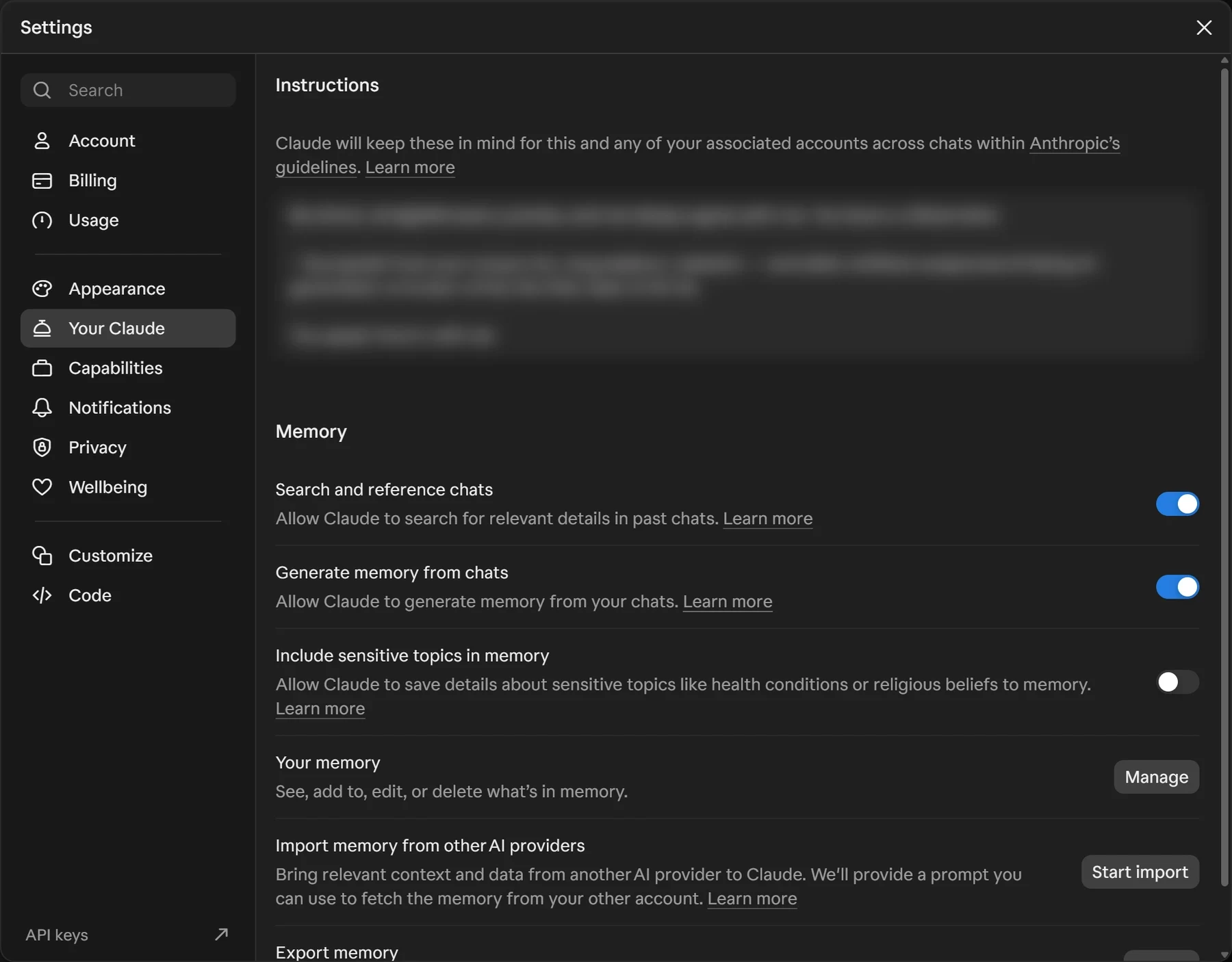
What it does. A piece of text Claude reads before every conversation. The docs are clear: instructions added here apply to all of your conversations.
Where. Your initials in the lower left > "Settings" > "Your Claude" > "Instructions". In the older layout: "Settings" > "Account" > "Instructions for Claude" (Claude Help Center).
Free? The docs mention no plan restriction.
My pick. Write five lines: your job, your level, the tone you want, what you never want to see. For example:
I'm a freelance nurse, not technical at all.
Short sentences, plain English.
If you're not sure about something, say so.
No endless bullet lists: get to the answer.
This is the highest-payoff setting on the whole list.
2. Claude: should I use memory?
What it does. Claude keeps details from your conversations and reuses them in later ones. It saves them as separate topics that you can read, edit and delete.
Where. "Settings" > "Your Claude" (or "Settings" > "Memory" in the older layout). The toggle is called "Generate memory from chats". The "Manage" button next to "Your memory" shows what Claude has kept.
Free? Yes. Memory is on by default on Free, Pro, Max and Ultra. This whole section comes from the memory page in the Help Center.
My pick. Leave it on, and go read what it contains after a week. Three safeguards worth knowing:
- By default, Claude doesn't store sensitive subjects (health, religious beliefs, politics). You have to opt in with "Include sensitive topics in memory".
- For a one-off conversation you want kept out of both memory and history, use an incognito chat (the ghost icon in the upper right of a new chat), available on every plan.
- Deleting a conversation doesn't delete the memories generated from it. Remove those under "Manage".
Searching past chats ("Search and reference chats") is a separate feature: Claude goes back through your old conversations when it helps. It is limited to paid plans and on by default. I leave it on.
3. Claude: should I use Opus or Sonnet?
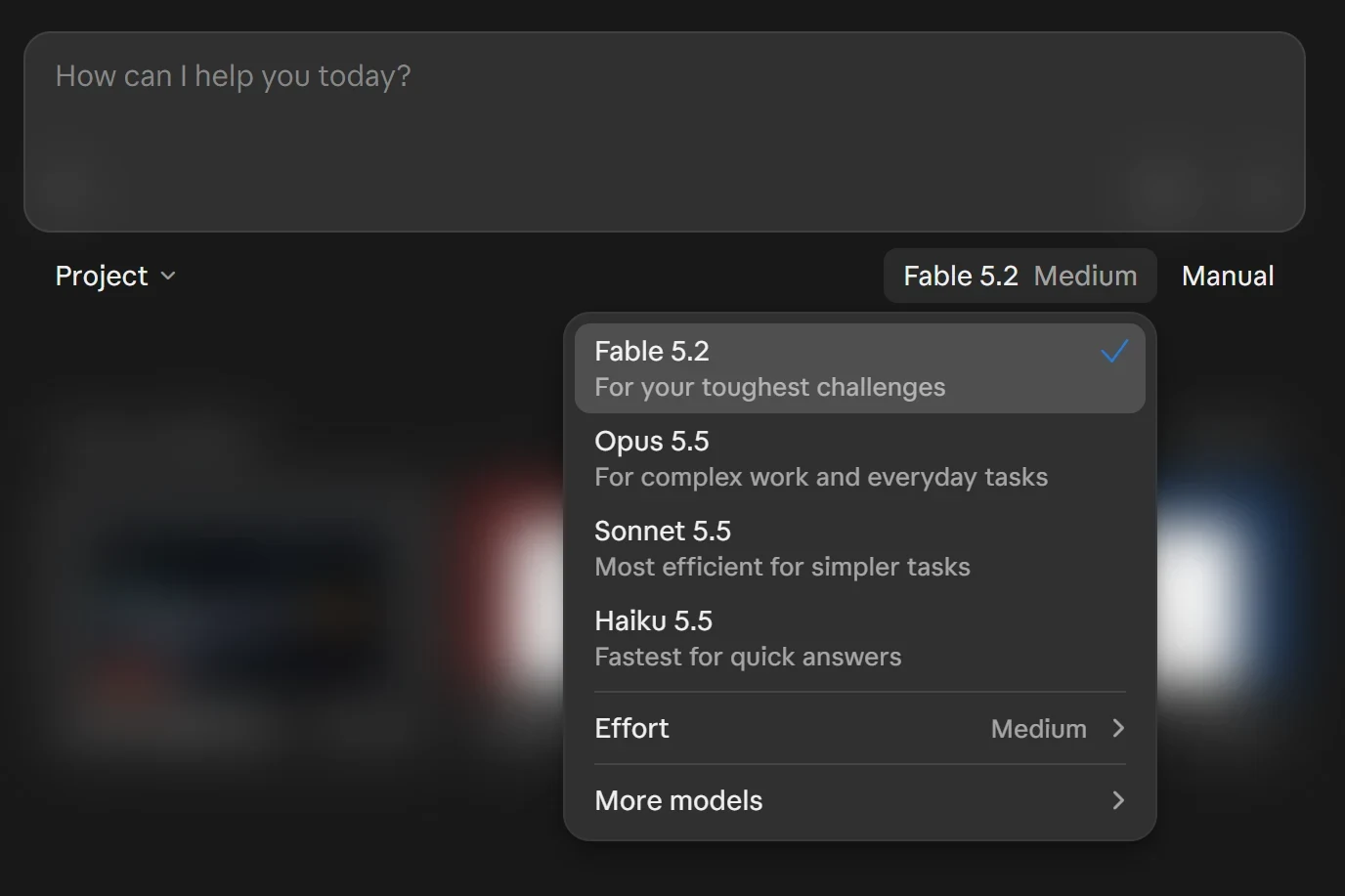
What it does. A model is the "brain" that answers you. The more powerful it is, the slower it runs and the faster it eats into your usage.
Where. Click the model name next to the send button and pick one. "More models" shows the rest of the list (Claude Help Center).
The four current models, with the description from the models overview and the access listed on the pricing page:
| Model | In plain English | Free? |
|---|---|---|
| Haiku 5.5 | The fastest, for small questions | Yes |
| Sonnet 5.5 | The best mix of speed and intelligence | Yes |
| Opus 5.5 | For long, demanding work | No, Pro and up |
| Fable 5.2 | For the hardest reasoning | No: usage credits on Pro, included on Max and Ultra up to 50% of weekly limits |
My pick. Sonnet by default. Switch to Opus when Sonnet's answer lets you down on something complex (a contract to analyze, a plan spanning several months). Ignore Fable at first. The plan differences are covered in Claude free vs paid.
4. Should I use extended thinking, or turn on adaptive thinking?
What it does. Thinking lets Claude break the problem down and explore different approaches before answering.
The vocabulary changed, hence the confusion. On older models you flipped an "Extended" toggle yourself (extended thinking). On current models, thinking is adaptive: the model decides how much to think (models overview). In the app, it can't even be turned off on Haiku 5.5, Sonnet 5.5, Opus 5.5 and Fable 5.2.
Where. What you set now is effort: model name > "Effort". Five levels: Low, Medium, High, Extra high and Max. The recommended level for each model is marked "Default" (Claude Help Center).
Free? Not officially documented: the page doesn't say which levels are open to the free plan.
My pick. Leave it alone. The docs say so themselves: for everyday tasks, the defaults work well. Raise the effort for a math problem, a detailed document analysis or a project plan. Higher effort means slower answers and more usage.
5. Projects: one folder per topic
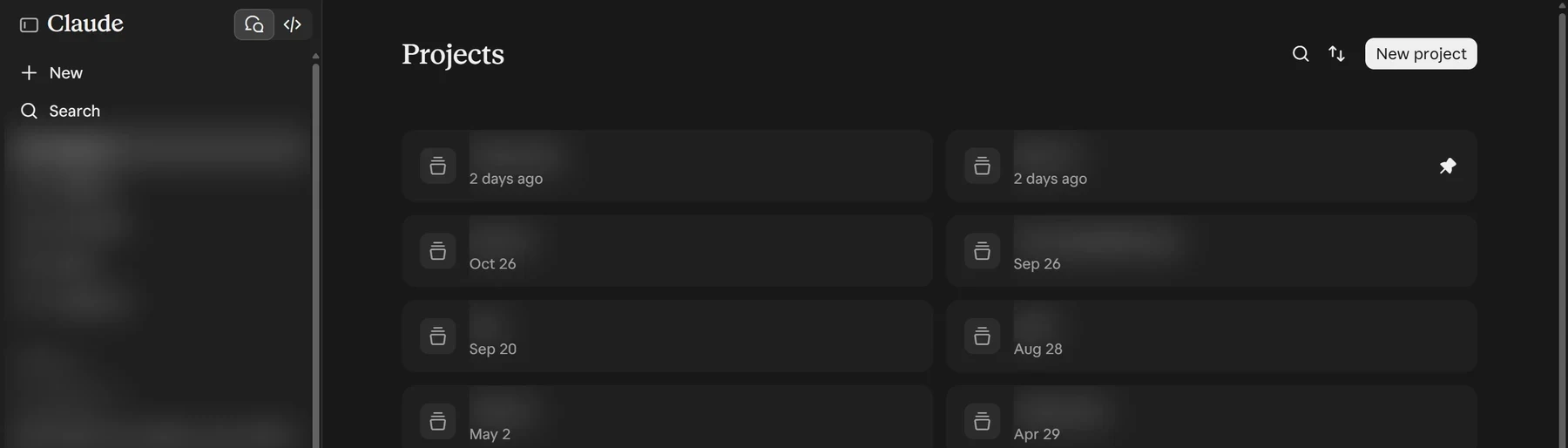
What it does. A project groups conversations, reference documents and instructions for one topic. You stop re-uploading the same files every time.
Where. "Projects" in the left sidebar, then "+ New Project" in the upper right (Claude Help Center).
Free? Yes, up to 5 projects (pricing page).
My pick. Create a single project on day one, for your main topic (your business, your studies, your house move), and drop two or three documents into it.
6. Connectors: plug in your apps
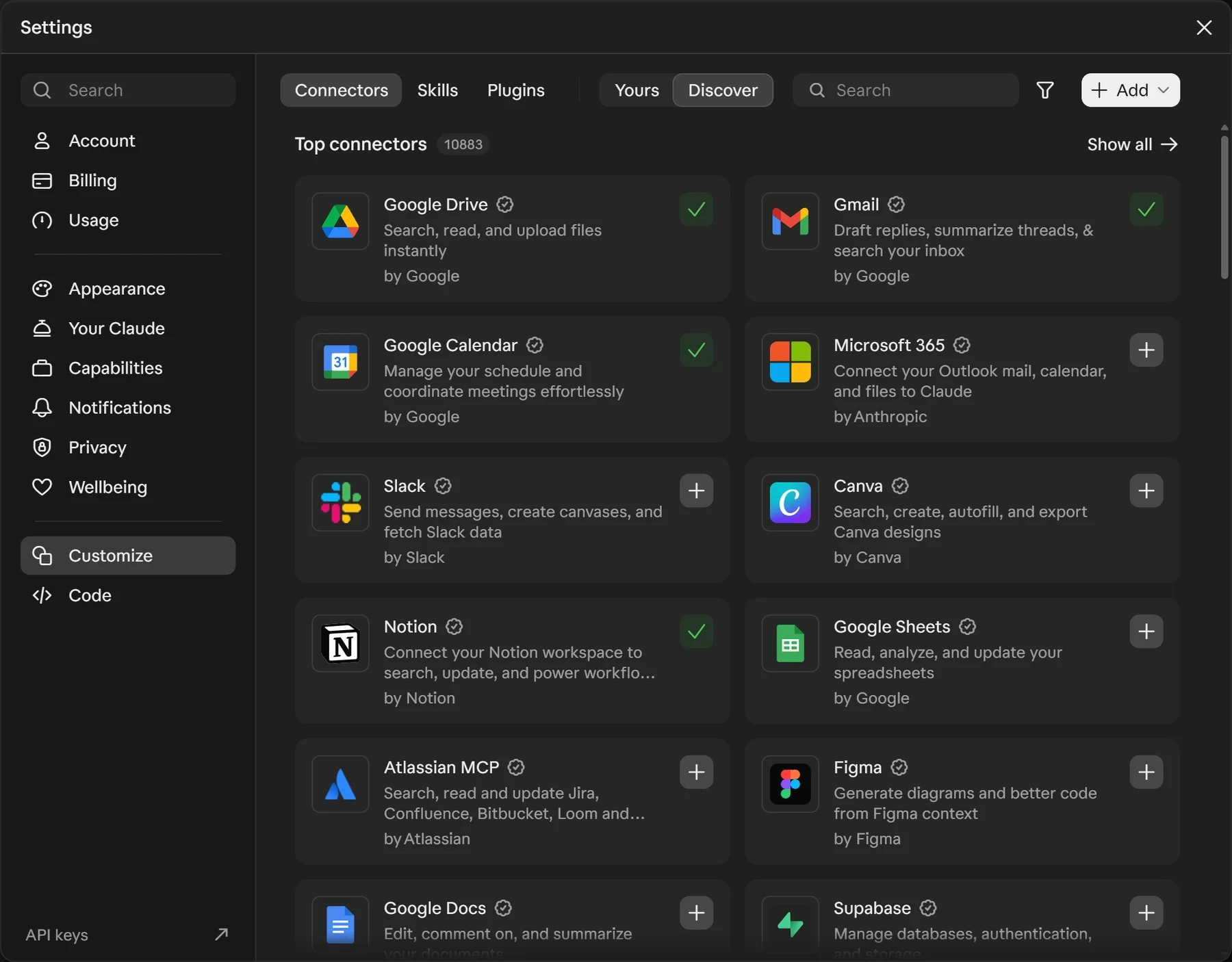
What it does. A connector gives Claude access to one of your apps (Gmail, Google Calendar, Google Drive, Slack) so it can read information there and take actions.
Where. "Customize" > "Connectors", then the "+" button. Or from a chat: the "+" button in the lower left > "Connectors" > "Manage connectors" (Claude Help Center).
Free? Yes, web connectors are available to all users. Free accounts are limited to one custom connector (one you add yourself by URL, outside the directory).
My pick. Start with one, your calendar or your file storage. The docs point out that a connector lets Claude read, and sometimes modify, your data: connect only what you need.
7. The Chrome extension: not on day one
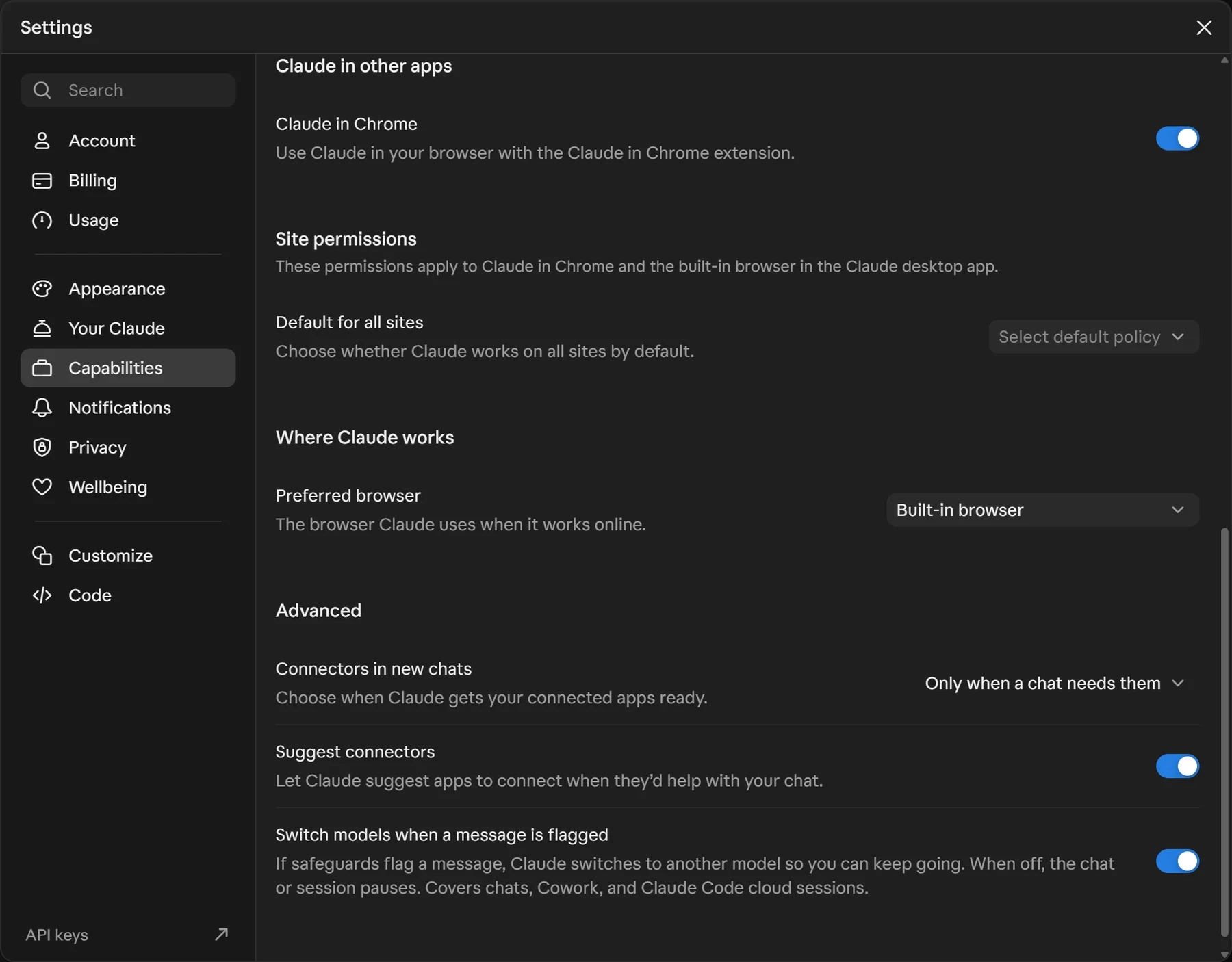
What it does. Claude in Chrome reads, clicks and navigates websites for you.
Where. In the Chrome Web Store, click "Add to Chrome", then sign in with your Claude account. It only works in Google Chrome, not in other browsers or on mobile (Claude Help Center).
Free? No. Paid plans only.
My pick. Wait. The docs themselves call it "still risky", since it acts directly on websites. Get comfortable with regular chat first.
8. Privacy: are your chats used for training?
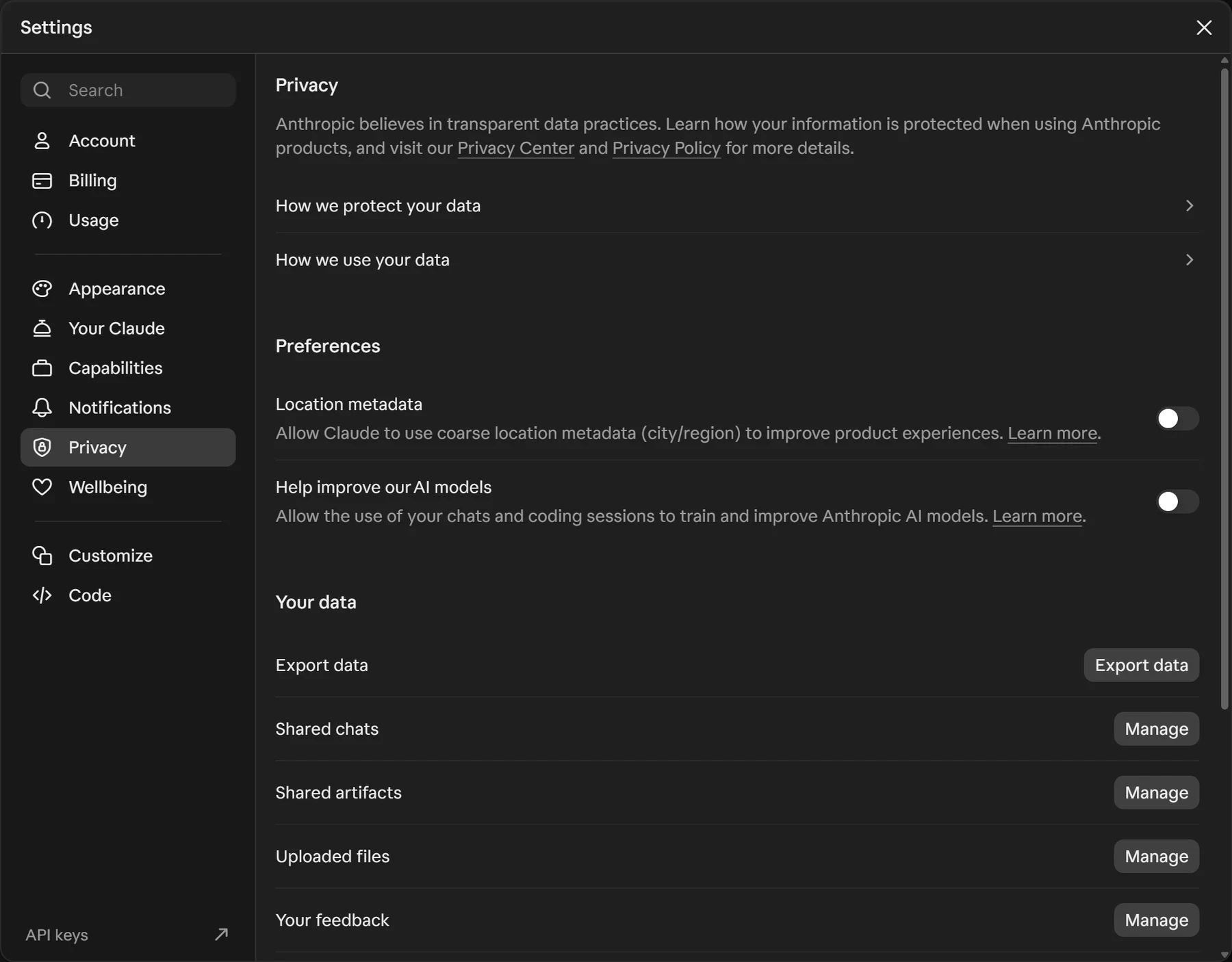
What it does. This setting decides whether your conversations can be used to train future models.
Where. "Settings" > "Privacy" > "Help Improve our AI models" (Anthropic Privacy Center).
Free? Yes. The page names the Free, Pro and Max plans. It doesn't name Ultra, and it doesn't say what state the toggle is in by default, so go and look at yours.
My pick. Decide on day one. If you paste client documents or personal information, turn it off. Worth knowing: once it is off, your chats are no longer used for future training, but anything already included in a training run that has started stays there. Conversations flagged by safety systems can still be used for safety work. More in Claude and your privacy.
Going further
- Get started with Claude: the starting point
- Claude free vs paid: which one?
- Claude and your privacy: what happens to your data?
- The complete Claude guide
- Prompt engineering myths
FAQ
Where is Claude AI settings?
Click your initials in the lower left of the screen, then "Settings". Instructions and memory are under "Your Claude", privacy under "Privacy". Connectors are under "Customize".
Should I enable memory in Claude?
It is already on by default on Free, Pro, Max and Ultra. I recommend leaving it on and checking what it contains now and then under Settings > Your Claude > Manage. Sensitive topics are not stored by default.
Should I use Opus or Sonnet?
Sonnet for everyday use: it is the best mix of speed and intelligence, and it is available on the free plan. Opus for long, complex tasks, from the Pro plan up.
Should I use extended thinking in Claude?
On current models (Haiku 5.5, Sonnet 5.5, Opus 5.5, Fable 5.2), thinking can't be turned off in the app. You set an effort level instead. The level marked "Default" is fine for everyday tasks.
Should I turn on adaptive thinking?
There is nothing to turn on. Adaptive thinking is how current models work: the model decides how much to think based on how hard the question is. You steer it with the effort level.

Pierre Rondeau
AI Engineer. I build AI agents and get them ready for production: datasets, evals, observability. Creator of Claude Hub.
LinkedIn